Wednesday, August 20, 2008

Quick Slide Show 2.33

Quick Slide Show 2.33


Specialists will be able to sensitively lessen web-site development time taking advantage of "Quick Slide Show". Due to its flexible settings You can easily create flash movies for different demand characteristics. This makes our program a universal product for a specialist as well as for a beginner in web design. Main advantage of the program is a possibility of quick creating high-quality slide-shows of a small size.

It is a high-quality method to inform Your clients and counterparties by showing them not a static image, but a slide show of many pictures with individual text comments and sound arrangement for each image. This will increase the efficiency of the offer of Your goods and services. Besides you will be able to send to your client a CD with auto-run slide show.

Based on upper mentioned form of presentation of information the teaching process becomes more vivid, and students more easily understand information. You can add Your recorded voice comments to Your presentation and the program can demonstrate needed teaching material even when You are absent.

This product is useful not only in business but also for individual purposes. For example, "Quick Slide Show" enables creating personal picture albums, family files, interactive cards, screen savers (splash screens) etc.

You can place slide shows created by You on your personal web-site www.your_name.sssuper.com (e.g. www.andrew.sssuper.com) that is in any time can be visited by your friends where they will feel with You’re your impressions of holidays, family vacations on the seaside or in the mountains and many other unforgettable events of Your life. This will make communication process with your relatives more interesting and pleasant.
Everyone starting with a manager and finishing with a lecturer shall be able to find something useful in this fast, flexible, easy-to-use and effective product "Quick Slide Show".

Key program features:

Export Flash Shockwave Format (*.swf) + HTML + crossdomain.xml
Export Windows Projector (*.exe)
Export Screen Saver (*.scr)
Setting movie size and playing speed
Setting background color or background image
Import image files (*.bmp,*.gif,*.jpg,*.png,*.tiff)
Add text
Text position, style, size and color
Setting text conversion
Setting text background size, color and transparency
Setting text border size, color and transparency
Add sound
Record message using your microphone
Setting sound volume and quality
Add background sound
Setting background sound volume and quality
Batch import
Setting border color and size
Many different pre-loads
Unlimited number of slides
Many different conversions
Control of conversion speed
Pause control
Random order of slides
Adding URL to a movie
Setting next slide on mouse click
Image quality control
Possibility to add images to a slide show
Drag & Drop technology
Preview
File converter from SWF to EXE
File converter from SWF to SCR
File converter from SWF to INSTALL SCR
File converter from EXE to SWF
File converter from EXE to SCR
File converter from EXE to INSTALL SCR
SWF file compression
EXE file compression

Download Trail

Click Here

Buy Now

Visit WebSite

Xilisoft Video Editor


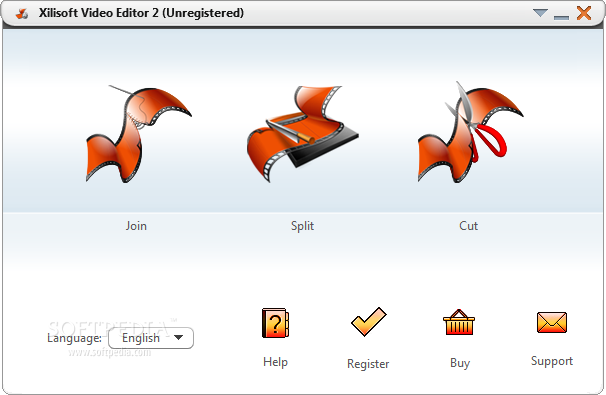
Xilisoft Video Editor is one of the best video editing software which contains the functions of Video Joiner, Video Splitter and Video Cutter. With

the video editing software, you can join multiple video files together, split one file to several segments, select and cut your favorite segments super

easily and fast, with excellent quality. >> As a Video Joiner, the Video Editor provides an easy and complete way to join and combine multiple video formats

to one file. The video editing software supports so comprehensive video formats including AVI, MPEG, MP4, WMV, 3GP, H.264/MPEG-4 AVC, H.264/PSP AVC, MOV, and

ASF etc. >> As a Video Splitter, the Video Editor supports splitting one video file to several segments manually or automatically like magic. If you prefer

to split a movie automatically, you could specify the video edit software to split it by time, size or split averagely. >> As a Video Cutter, the Video

Editor can assist you to select your favorite segments in one file, and cut out the segments you dislike to meet your needs of perfecting your movies and

videos.

Main Functions:

As a Video Joiner - The video editing software helps you add multiple videos even these videos are in different formats, then join and combine them to one

file like magic.
As a Video Splitter - The video editing software splits one video file to several segments manually or automatically by time, size, or splits into even

clips.
As a Video Cutter - The video editing software assists you to gain your favorite segments of a video, and cut out the others you don?¡¥t need.

Key Features:

> When using Join function, you can add many kinds of video formats at one time, and the output file should be one of the input formats. For example, you add

four files with different formats AVI, MPEG, 3GP, WMV in the software, and then you are able to join these files to one file whose format should be one of

the original four formats;
> When joining all your files, you are allowed to set video size, frame rate to get the perfect effect;
> When joining files, it allows you to set the resize method. The output videos could be in letterbox, pan and scan, or full screen;
> Video Splitter supports splitting manually and automatically. And if you prefer to split automatically, you can specify it to split by time or size, or

split into even clips;
> When using Video Cutter function, you can set the beginning point and ending point super accurately;
> Xilisoft Video Editor supports preview. You can preview both the original and output files;
> The video edit software offers low priority encoding in background mode. You are able to customize your encoding to get the best performance;
> AfterDone action is provided in the magic video edit software. You can designate the status after all your tasks are finished: do nothing, shut down

automatically, keep dormancy status, stand by, or end the program;
> You may choose your favorite skin to ensure your satisfaction with selecting skins;
> Xilisoft Video Editor fully supports Intel Pentium D Dual-Core Processor and AMD Athlonâ„¢ 64 X 2 Dual-Core Processor;
> The software is multilingual version.

Formats Supported:

*.avi (xvid mpeg4 divx msmpeg4 msmpeg4v1 msmpeg4v2 mpeg1video mpeg2video wmv1 wmv2 h263p rawvideo rv10 dvvideo huffyuv ljpeg mjpeg svq1 zlib h263)
*.mpg *.mpeg (mpeg1 mpeg2)
*.dat (mpeg1)
*.vob (mpeg2)
*.mp4 (mpeg4 h264)
*.divx (divx)
*.mov
*.qt (mpeg4)
*.h264 (h264)
*.3gp (h263 mpeg4)
*.3g2 (h263 mpeg4)
*.wmv (mv1x wmv2x wmv3x)
*.asf (msmpeg4)

Download Trail

Click Here

Buy Now

Visit WebSite